








Barcode:
822383979564
Description
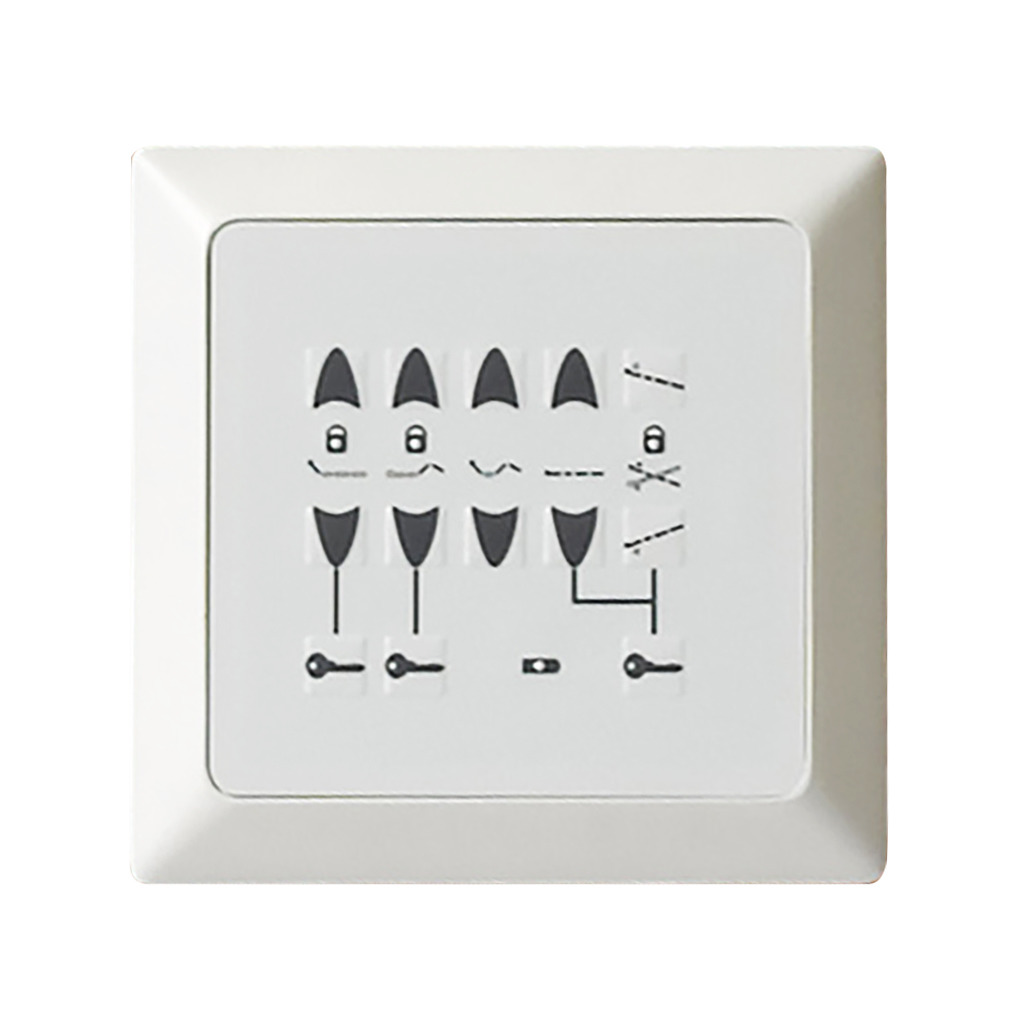
Drive P703SC04 is the optional footboard staff control for the PrimeCare P703, not the resident pendant.
Who is it for?
- Staff on a P703 who need supervised access to tilt.
- Not a P903, P503 or P750 panel. Drive has not approved those swaps.
- Not part 903C-SC01. That is a different control.
- The P703 bed does not include this panel.
Where does it mount?
- Drive's manual places the panel in the P703 footboard.
- The cable connects at CH6/CH7 on the control box, routed along the frame and clear of moving sections.
- Raise the bed, unplug it, then fit the panel with a Phillips screwdriver and pliers or wire cutters, and test every function.
- We confirm the cable and fixings before you order.
What can staff operate, and what is the limit?
- Staff can operate the head, thigh and foot, auto contour, bed height, and Trendelenburg or reverse Trendelenburg.
- Lockout can turn selected functions off.
- Use tilt only with medical recommendation and supervision.
- Drive warns of a crush hazard at the bed ends. Use tilt near the highest position, and not past the tilt limit.
- The panel is a bed-mounted accessory covered for 1 year.
Compare
- PrimeCare P903: a different bed, with its own staff-control parts.
- 903C-SC01: not this P703 panel. Do not match them by look.
- P703 width extension: changes deck width, and it is not a control.
Frequently asked questions
Is P703SC04 the same as a P903 control?
No. Drive lists P703SC04 for the P703 only, and P903 controls use other part numbers.
Who may use the tilt buttons?
Only with medical recommendation and supervision. Drive warns of a crush hazard near the bed ends.
What if the power is still on during fitting?
Unplug the bed first. Mount the panel, route the cable clear of moving parts, then test each function.
Funding may help: see who may help pay.
The panel is covered for 1 year as a bed-mounted accessory.
Specifications
- Product weight
- 0.8 lbs (0.36 kg)
- Assembly
- Phillips screwdriver and pliers or wire cutters; raise and unplug the bed first
- Controls
- Five sets: head, thigh and foot, auto contour, height, Trendelenburg and reverse
- Sold as
- One panel
- Material
- ABS housing
- Mounting
- P703 footboard; cable routed along the frame to CH6/CH7
- Compatible with
- Drive PrimeCare P703
- Duty cycle
- 2 minutes on, then 18 minutes off
- Product type
- Embedded staff control panel
Figures from the manufacturer. Options and seat sizes can change them; we confirm yours before ordering.
Documents
Delivery and service
Delivery and setup
We deliver and set up equipment across Toronto and the GTA, and show you how everything works. Custom and special-order products can take longer; we confirm timing with you before delivery.
Service and repairs
Our technicians service what we sell, at home or in our shop.
Try before you buy
Visit a showroom in Etobicoke or Brampton to try products first, or book a free home assessment.
Warranty
Mobility store warranty terms
These are Mobility's purchase and service policy terms, separate from any manufacturer warranty coverage.
1 year on parts.
Read the warranty and service policy for the full terms.
Questions about this product?
Talk to our team, try it in a showroom, or book a free home assessment. We help with sizing and funding.