








Description
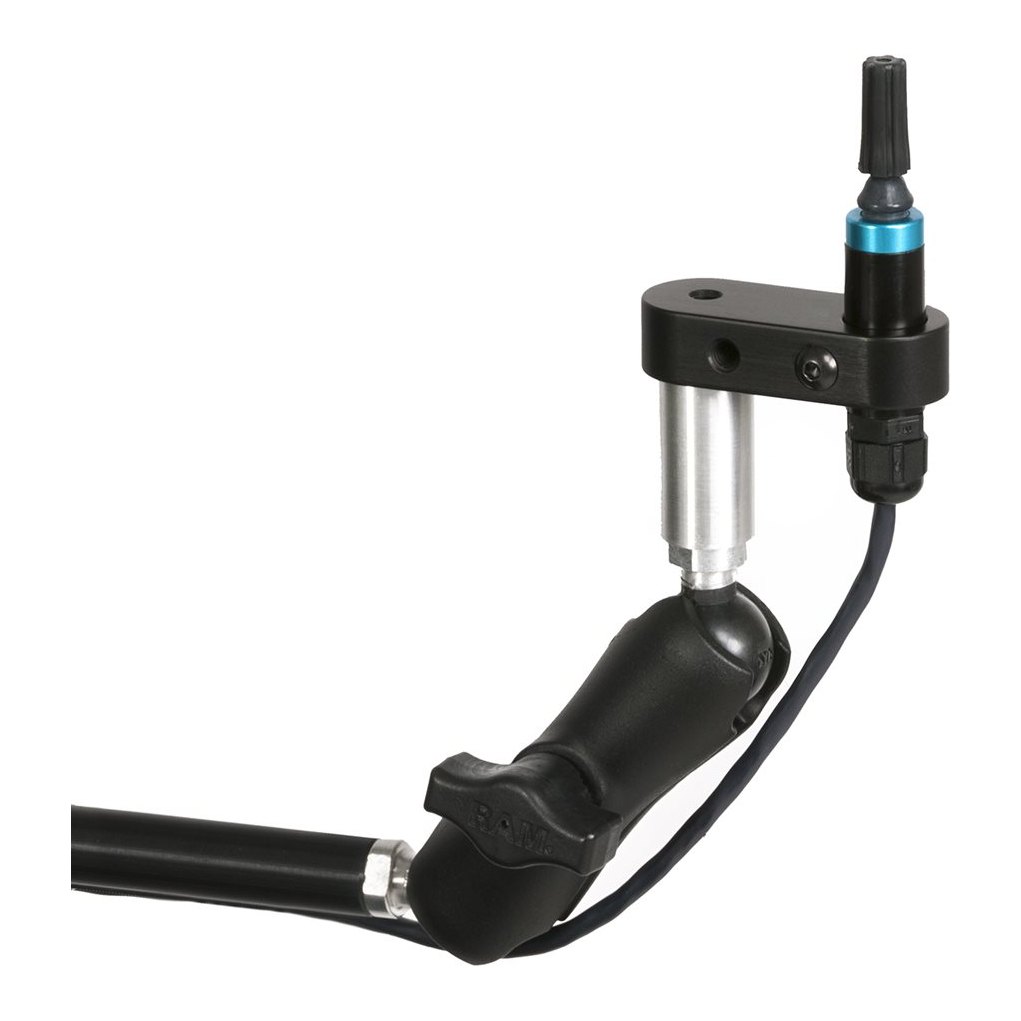
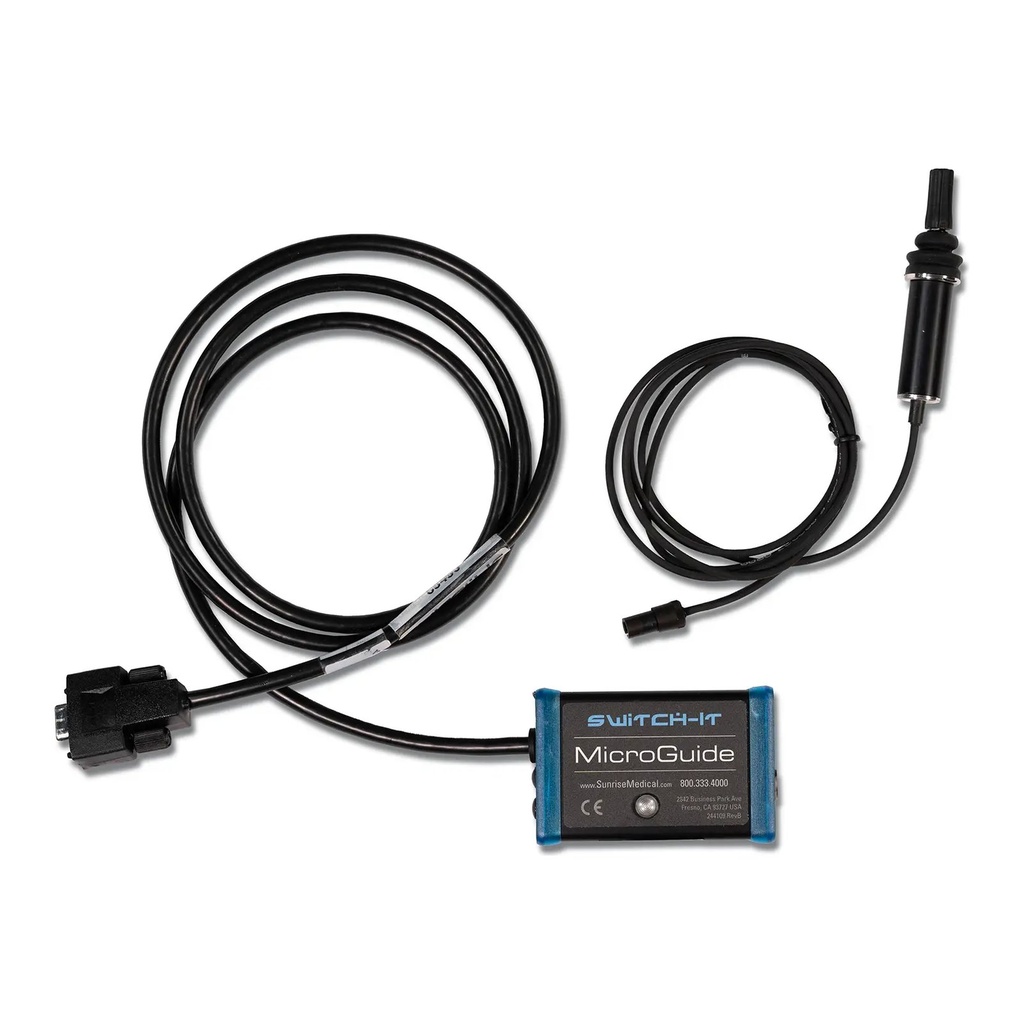
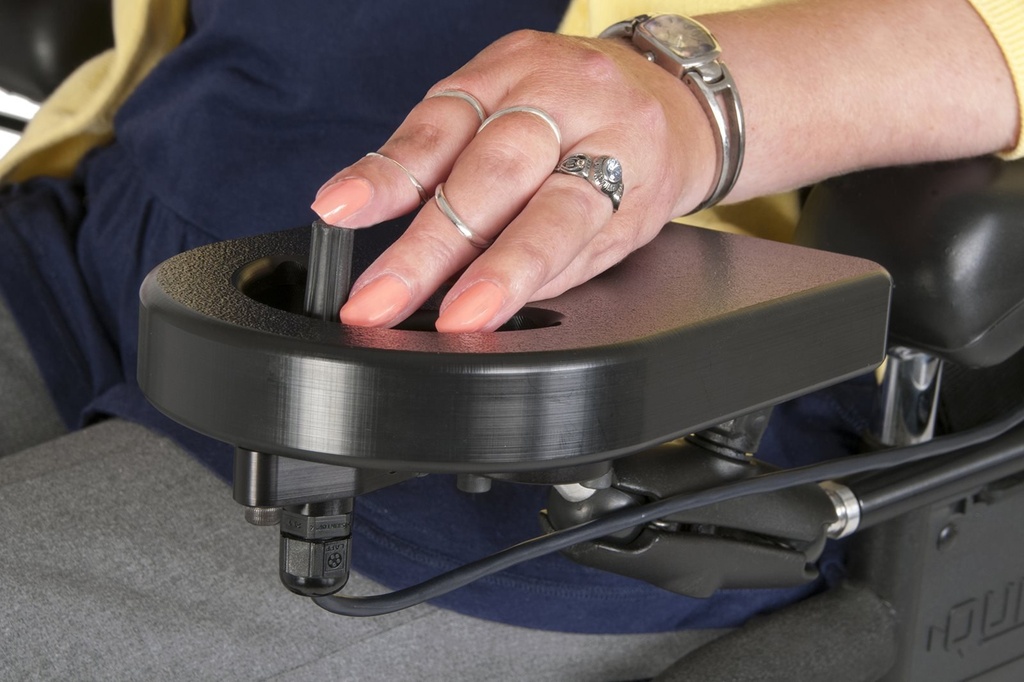
The Switch-It MicroGuide is a proportional joystick for a power chair. It answers to a light touch: the rider pushes, and the chair follows in speed and direction instead of switching on and off.
Who is the MicroGuide for?
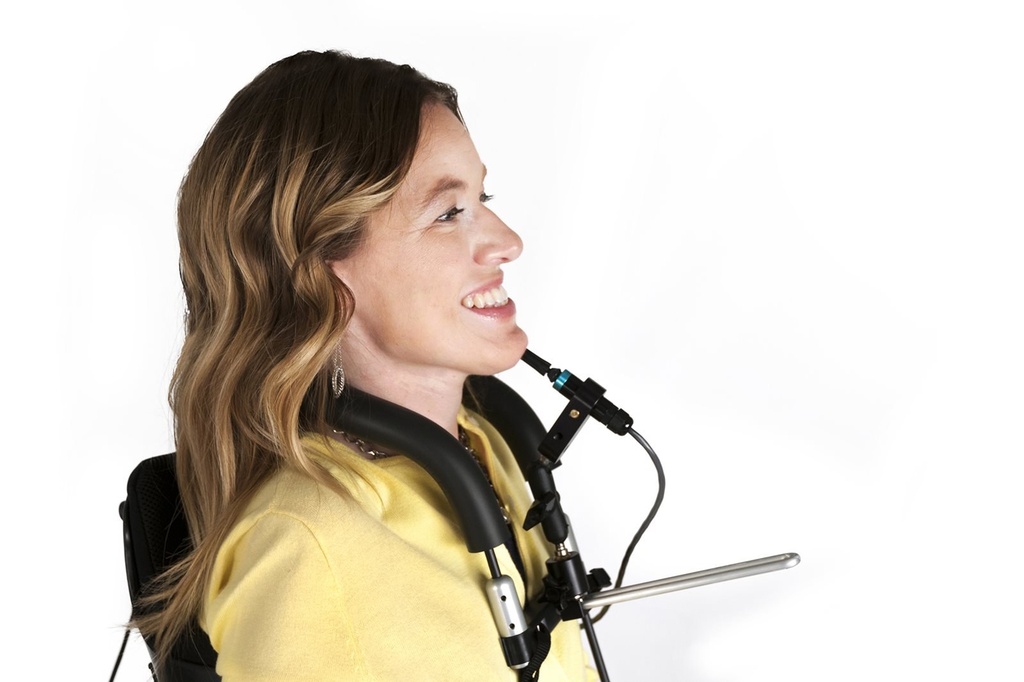
It suits a rider with very little hand strength or a short reach. The same joystick also comes on a chin boom, so a rider who cannot use the hands can drive with the chin or mouth. Book a free home assessment or visit our showroom.
Will it fit my power chair?
It needs a chair that takes an alternative drive control and a display that suits it. The maker lists Penny and Giles R-Net with the Omni, Curtis Enable 50 with the Enhanced Display, and Dynamic Controls DX2 with the Switch-It DX dongle. It is not made for Invacare electronics.
How does the light touch work?
About 40 g of pressure starts it, and it travels a quarter inch (6 mm) from neutral to forward with the standard knob. From there the rider has the full throw of a joystick and 360 degrees of control, with the throw itself set in the chair's electronics.
Which mount should I choose?
Armrest and midline mounts come with or without a hand tray. The SpaceDisk tray supports the hand and protects the drive control; the BulletTray is lighter. A bib mount and a swing away chin mount cover chin and mouth drivers.
Funding help for a joystick in Ontario
Depending on the person's needs and assessment, funding may be available for mobility equipment in Ontario. Our team works with funding programs every week and can point you to the right route before you buy. See our funding guide or call (905) 798-1853.
Delivery, service and warranty
We fit the joystick and set the throw with the rider. The maker's manual prints twelve months on the electronic components and the mounting hardware, and three months on wearable items. The paperwork sits on our documents page.
How does it compare?
See our wheelchair accessories for mode switches that pair with this joystick, and our power wheelchairs for the chair itself.
Frequently asked questions
Can I drive with it if I cannot use my hands?
Yes. The same joystick comes on a swing away chin boom, so the chin or the mouth can drive it.
What does the light on the joystick mean?
Solid green means neutral and ready, blinking green means driving, and solid red means the device needs service.
Can a mode switch work alongside the joystick?
Yes. Mechanical switches such as the Egg, MicroLite or Piko, fibre optic systems, or a Flex Switch with the SJX2.
Specifications
- Size
- Housing 0.625" (15.87 mm) across, stem 0.062" (1.57 mm) across, 2.25" (57.2 mm) high without the knob, 3.15" (80 mm) overall
- Mounting
- Armrest or midline, with or without a hand tray; the maker lists the SpaceDisk and BulletTray trays, a bib mount and a swing away chin mount
- Compatible with
- Penny and Giles R-Net with the Omni, Curtis Enable 50 with the Enhanced Display, Dynamic Controls DX2 with the Switch-It DX dongle; not for Invacare electronics
- Connector
- D-Sub 9 (DB9) to the chair's display
- Alternative control type
- Proportional, with deflection-based technology and 360 degrees of control
- Activation type
- Displacement, with about 40 g of force to activate and 1/4" (6 mm) of travel from neutral to forward
- Feel
- The rider keeps the physical throw of the joystick and the feedback of that movement, and the throw is programmable through the chair's electronics
- Mode switch inputs
- Mechanical switches such as the Egg, MicroLite or Piko into the Omni or the Enhanced Display, fibre optic systems, or a Flex Switch that needs the SJX2
- Item numbers
- MG for the joystick, plus a mount package such as MA-SA-MS, SD-SA, BT-SA or MA-SVA-CHIN-MS-WH
- Indicator
- Solid green for neutral and ready, blinking green while driving, and solid red when the device needs service
- Warranty
- Twelve months on the electronic components and the mounting hardware, and three months on wearable items such as covers and pads
- Product type
- Proportional light touch joystick drive control for a power wheelchair
Figures from the manufacturer. Options and seat sizes can change them; we confirm yours before ordering.
Documents
Delivery and service
Delivery and setup
We deliver and set up equipment across Toronto and the GTA, and show you how everything works. Custom and special-order products can take longer; we confirm timing with you before delivery.
Service and repairs
Our technicians service what we sell, at home or in our shop.
Try before you buy
Visit a showroom in Etobicoke or Brampton to try products first, or book a free home assessment.
Questions about this product?
Talk to our team, try it in a showroom, or book a free home assessment. We help with sizing and funding.